Add another memory module
Available1 of 2 DIMM slots free. Installed: 8GB; board maximum: 64GB. Match the existing module's speed and timings for dual-channel.
RM 2,000 build suggestion
Live Shopee MY prices and selected variants, cached 28/10/2026, 3:03:47 am.
RM 41.1 remains within budget.
17
PASS
2
WARNING
0
FAIL
0
UNKNOWN
4
N/A
Cached live Shopee results. Each link opens the exact product listing used for the variant price.
Processor
WarningWarningAMD Ryzen 5 5600
RM 735
Motherboard
WarningWarningMSI A520M-A PRO
RM 229
Memory
PassPassed8GB DDR4-3200 DIMM (used)
RM 229
Graphics card
PassPassedXFX R7 360P Radeon R7 360 2GB (used)
RM 159
Power supply
PassPassedMSI MAG A650BN 650W
RM 221
Case
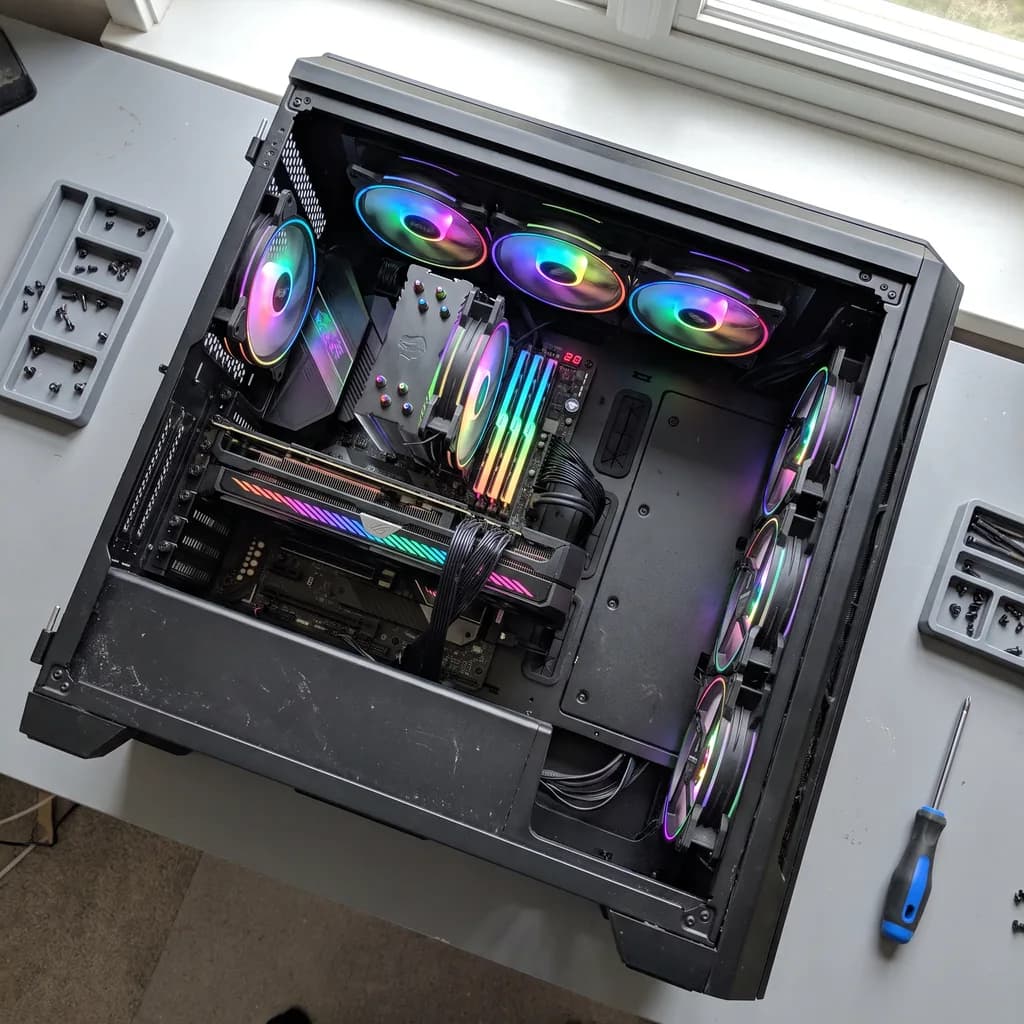
WarningWarningTecware Aero M TG ARGB
RM 124
Storage
PassPassedSamsung 870 EVO 1TB
RM 261.9
Total price
RM 41.1 under the RM 2,000 budget
Purchase and setup notes to clear before ordering. The full technical audit is below.
BIOS 7C96v28 may be required, but the installed BIOS version is unknown.
Ask the seller for the installed BIOS version or update to 7C96v28 before use. If the board cannot update without an older CPU, have the seller update it.
5V ARGB fans have no 5V header; only a 12V RGB header is available.
Add a 5V ARGB controller/hub if you want lighting. Do not connect the ARGB lead to the 12V RGB header.
RM 41.1 left in the budget
Keep it as a buffer for shipping or compare the other live build before buying; do not upgrade a part unless the new combination passes the same checks.
Build-day checklist
Practical steps for this exact parts list. Check the seller listing and motherboard manual before assembly.
Update the BIOS to 7C96v28
Do thisThe A520M-A PRO may ship with an older BIOS. Ask the seller for the installed version and update to 7C96v28 before first boot. A520 boards may need a supported CPU to flash.
Enable the DDR4-3200 memory profile
InfoAfter the first boot, enable XMP/DOCP in BIOS and verify the memory runs at its rated speed.
Install the GPU in the top PCIe x16 slot
InfoConnect 1× PCIe 6-pin from the PSU. Use the uppermost x16 slot and secure the card to the case.
Plan the 5V ARGB connection
Heads-upThe case fans are 5V ARGB, but the motherboard has no 5V ARGB header. Add a 5V ARGB hub/controller or leave the lighting disconnected. Never connect the ARGB lead to the 12V RGB header.
No Wi-Fi onboard
InfoUse Ethernet or add a USB/PCIe Wi-Fi adapter. The selected motherboard has no built-in Wi-Fi.
Use the included Ryzen 5 5600 cooler
InfoThe CPU includes a stock cooler with pre-applied thermal paste. No extra cooler is required.
Mount the 2.5-inch SATA drive
InfoInstall the drive in a 2.5-inch bay and connect both the SATA data cable and PSU SATA power.
Prepare Windows or Linux
InfoNo operating system is included. Create an installer USB and have a licence ready before assembly.
Only checks that require a decision or manual verification.
BIOS readiness
WarningWarningBIOS 7C96v28 may be required, but the installed BIOS version is unknown.
Without a known installed version, out-of-the-box readiness cannot be confirmed.
Action: Ask the seller for the installed BIOS version or update to 7C96v28 before use. If the board cannot update without an older CPU, have the seller update it.
Fan / ARGB support
WarningWarning5V ARGB fans have no 5V header; only a 12V RGB header is available.
The fans can still run through their PWM connection, but their lighting cannot be controlled. Connecting 5V ARGB devices to a 12V RGB header can permanently damage the LEDs or controller.
Action: Add a 5V ARGB controller/hub if you want lighting. Do not connect the ARGB lead to the 12V RGB header.
GPU length clearance
120 mm
Case maximum minus selected GPU length.
CPU cooler clearance
Not applicable
Uses the selected stock cooler unless an aftermarket cooler is chosen.
PSU headroom
367 W (129.7%)
Planning estimate from structured component power, not wall power.
Upgrade path
What this build can accommodate later, based on the selected motherboard, case and power supply.
Add another memory module
Available1 of 2 DIMM slots free. Installed: 8GB; board maximum: 64GB. Match the existing module's speed and timings for dual-channel.
Add an M.2 drive
Available1 of 1 M.2 slot(s) free, with 4 SATA ports.
CPU upgrade path
Check firstThe AM4 socket supports higher-core Ryzen 5000 options such as the Ryzen 7 5700X3D or 5800X3D, but verify the exact board revision, BIOS and cooling before buying.
GPU upgrade headroom
Limited650W PSU with about 367W estimated headroom and 320mm maximum GPU length. Choose a card that fits both. The PSU has no native 12VHPWR connector; check any adapter requirements.
Cooling upgrade path
AvailableCoolers up to 175mm fit. Radiator support: front 240mm, top 240mm. 4 case fans are included.